Delete your Account
How to delete your account (Android)
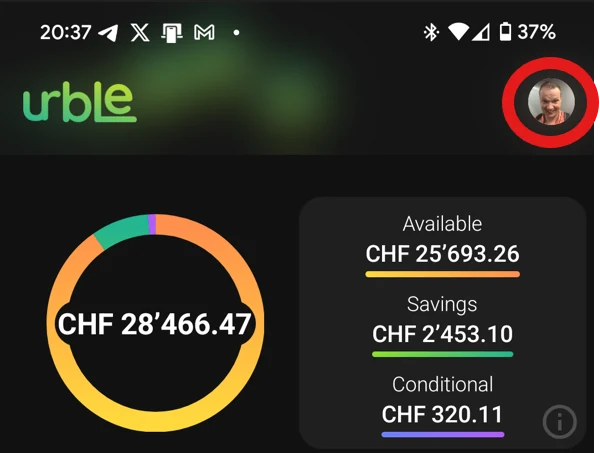
- Open urble and go to the Home screen. Tap your profile photo in the top-right corner.
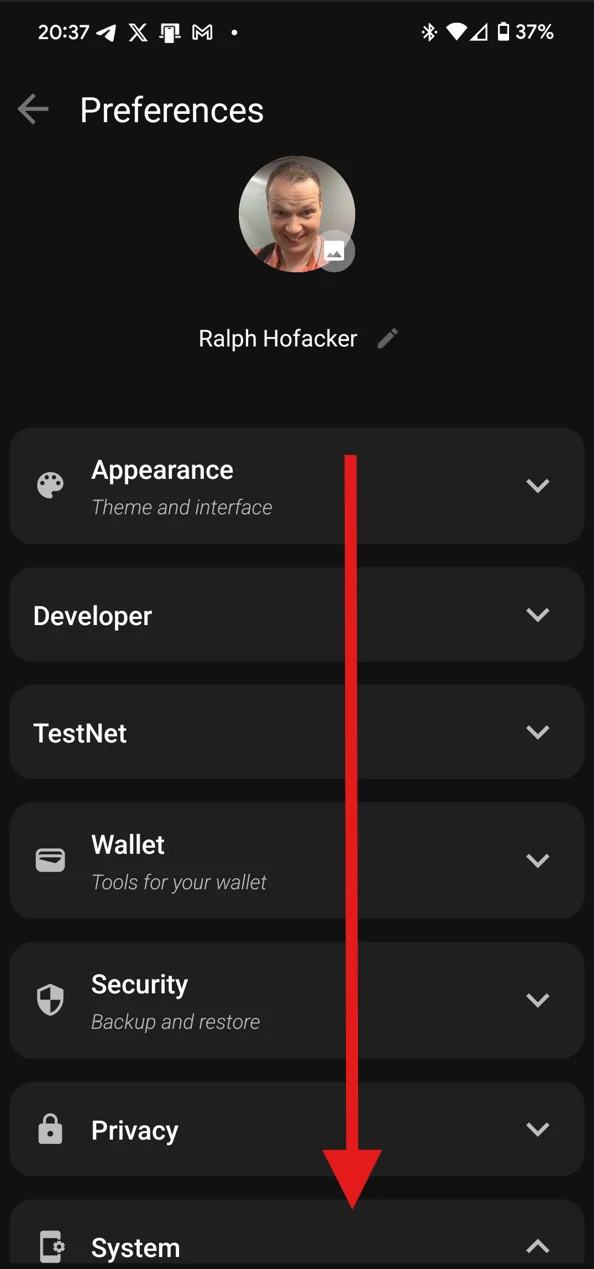
- You’re now in Preferences. Scroll down to the System section.
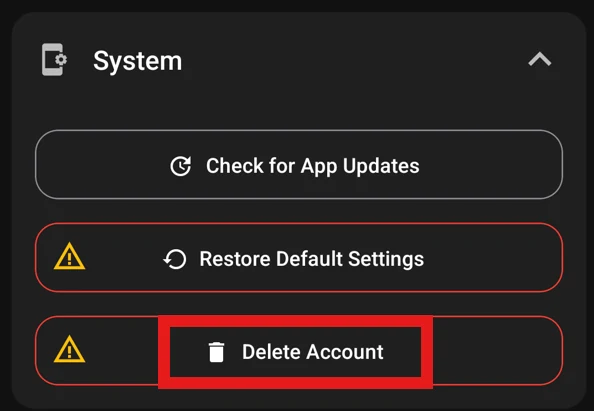
- Tap System, then tap Delete Account.
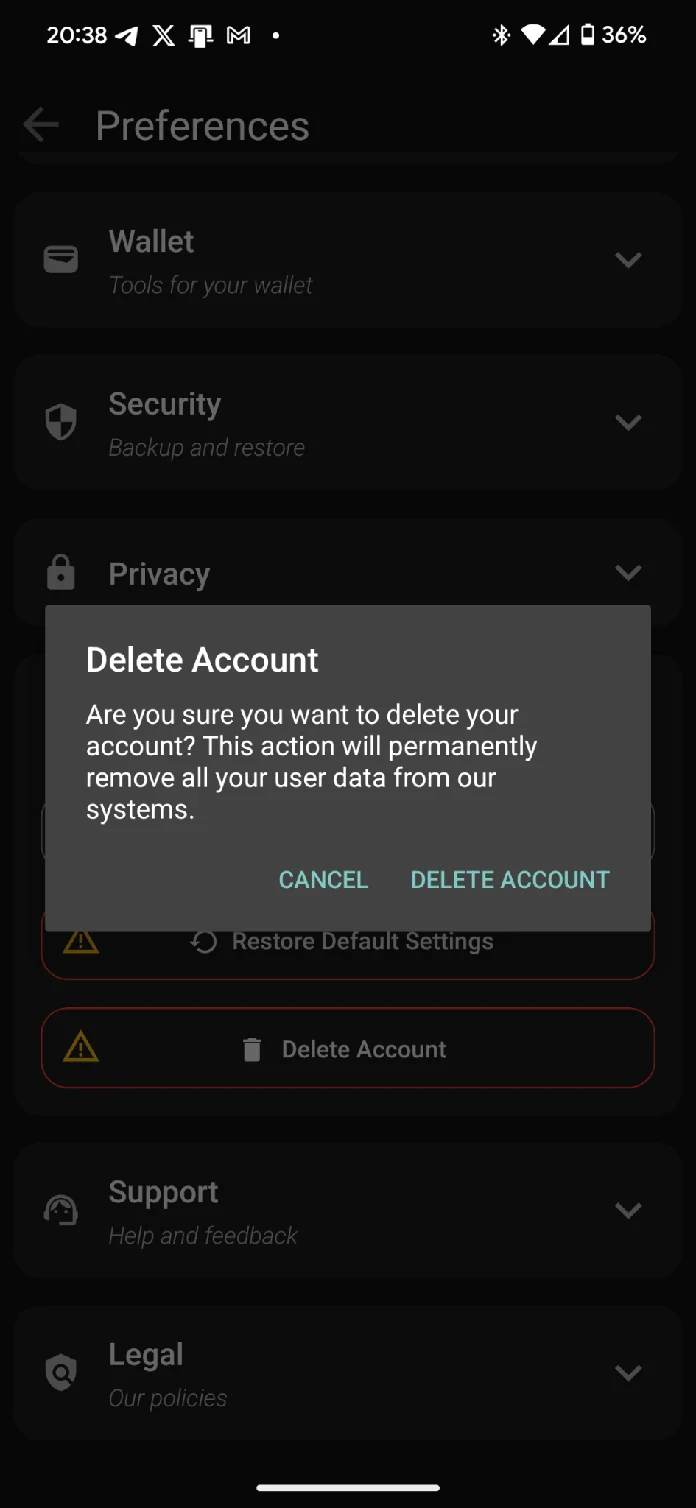
- Read the confirmation dialog, then tap Delete Account to confirm.
What happens when you delete your account
- Account deletion: Your profile, preferences, app settings, linked sessions, and most personal data are removed from urble’s active systems.
- Your wallet remains in your control: urble wallets are non-custodial — your private keys are never stored by us. We cannot delete, access, or recover your crypto assets. You should transfer any funds you want to keep to another wallet before deleting your account.
- Legal retention: As required by Swiss and EU law (including AML/CTF regulations), urble must retain certain transaction, identification (KYC), and compliance-related records for up to 5 years after account closure.
- Backups: Encrypted backup copies of deleted personal data may remain until the backup cycle completes or the legal retention period ends, whichever is longer, after which they are securely erased.
- Service termination: Once deletion is complete, your service agreement with urble ends.
Deletion is irreversible. If you change your mind, you’ll need to create a new account.